
8070 Ramzan Package CNIC Mismatch
The Punjab government’s 8070 Ramzan Package is a significant relief effort designed to help low-income households during the holy month. However, the CNIC Mismatch issue is a frequent obstacle that many candidates encounter. Your free ration bag or Rs. 10,000 in financial aid may be delayed due to this problem.
You can read more: Ramzan Nigehban Package Application Rejected Reason – Complete CNIC Check Guide 2026
A mismatch only indicates that the information you submitted by SMS or the internet does not match the records in the NADRA or PSER (Punjab Socio-Economic Registry) databases, not that you are ineligible. We’ll walk you through the precise causes of this issue and the easy fixes in this tutorial.
What is the 8070 Ramzan Package CNIC Mismatch?
To put it simply, a “mismatch” happens when the system’s automatic check discovers a discrepancy between your identifying data. Even a small mistake might lead your application to be paused because the software employs digital verification to guarantee transparency.
The most typical mismatch situations consist of:
- The spelling of your name on the PSER survey differs from that on your CNIC.
- You are not the owner of the mobile SIM card that you used to send the SMS.
- Following a recent marriage or death in the family, NADRA has not updated your family record (Family Registration Certificate).
| Feature | Details |
| Relief Amount | Rs. 10,000 (Direct Cash) or Ration Bag |
| Official Code | 8070 (Punjab Only) |
| Primary Database | PSER & NADRA |
| Helpline Number | 0800-02345 |
| Target Region | All Districts of Punjab |
Why CNIC Mismatch Happens in 2026
As the 2026 program rolls out, several factors are leading to this error. Understanding the “Why” is the first step to the “How” of fixing it.
-
Expired Identity Cards: If your CNIC has expired, the 8070 system will automatically flag it as a mismatch or invalid record.
-
SIM Card Ownership: This is the most frequent cause. If you send your CNIC to 8070 from a friend’s or relative’s phone, the system sees two different identities and blocks the request.
-
Outdated PSER Survey: The Punjab government is now relying heavily on the PSER database. If your household survey was done years ago and your income or family size has changed, a mismatch may occur.
-
Marital Status Records: Women who have married but haven’t updated their father’s name to their husband’s name on their CNIC often face verification failures.
Step-by-Step Guide to Resolve CNIC Mismatch
If you received a mismatch notification, follow these steps to clear your status:
Step 1: Verify Your SIM Registration
Ensure that the SIM card you are using is registered against the same CNIC you are sending to 8070. You can check this by sending your CNIC to 668. If it’s not your SIM, resend the 8070 SMS from a number that is officially yours.
Step 2: Update Your NADRA Record
Visit the nearest NADRA center if your card is expired or if your family tree (B-Form/FRC) is incomplete. Once NADRA updates your record, the 8070 system usually syncs the data within 48 to 72 hours.
Step 3: Use the PSER Web Portal
Instead of just relying on SMS, log in to the pser.punjab.gov.pk portal.
-
Check if your name, address, and CNIC are entered correctly.
-
If you see an error, use the “Edit” or “Update” option to provide the correct information.
Step 4: Visit a Local Facilitation Center
If digital methods fail, every district has established Ramzan Relief Facilitation Centers (usually at the Union Council level). Take your original CNIC and a copy of your utility bill. The staff there can manually verify your identity in the system.
You can read more: BISP 8171 February 2026 Payment News: Full Details Inside
Comparison of Verification Methods
| Method | Speed | Best For |
| 8070 SMS | Instant | Basic eligibility check |
| PSER Portal | Moderate | Updating household & income data |
| Union Council | Slow | Resolving complex mismatch/biometric issues |
How Long Does the Fix Take?
Once you have corrected your data or updated your NADRA record, it takes time for the various government servers to “talk” to each other.
-
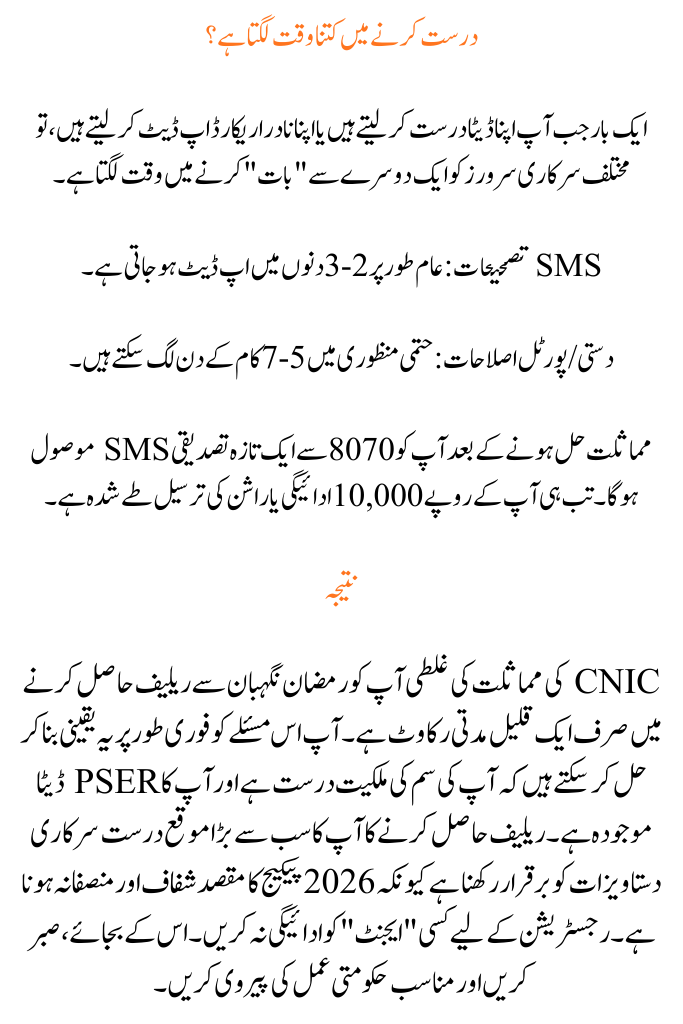
SMS Corrections: Usually updated in 2–3 days.
-
Manual/Portal Fixes: May take 5–7 working days for final approval.
You will receive a fresh confirmation SMS from 8070 once the mismatch is resolved. Only then will your Rs. 10,000 payment or ration delivery be scheduled.
In conclusion
A CNIC mismatch mistake is only a short-term obstacle to getting your relief from Ramzan Nigehban. You may quickly fix this problem by making sure your SIM ownership is accurate and your PSER data is current. Your greatest chance of obtaining relief is to maintain precise official documents because the 2026 package is intended to be transparent and equitable. Don’t pay any “agents” for registration; instead, be patient and follow the proper government processes.
FAQs
1. Can I correct my elderly parents’ CNIC mismatch?
Yes, but make sure the SMS is received from a SIM card that is registered in their name. You may also need to accompany them to the facilitation center for biometric verification.
2. Does fixing the 8070 mismatch issue come with a cost?
No, the 8070 service and other government facilitation facilities are totally free. Never give money to someone who says they can “unlock” it for you.
3. What happens if 8070 still indicates a mismatch even if my CNIC is valid?
This often indicates that your PSER survey data is different. Make sure your household profile precisely matches your CNIC by visiting a Khidmat Center or logging onto the PSER site.